
Scanner setup for kiosk
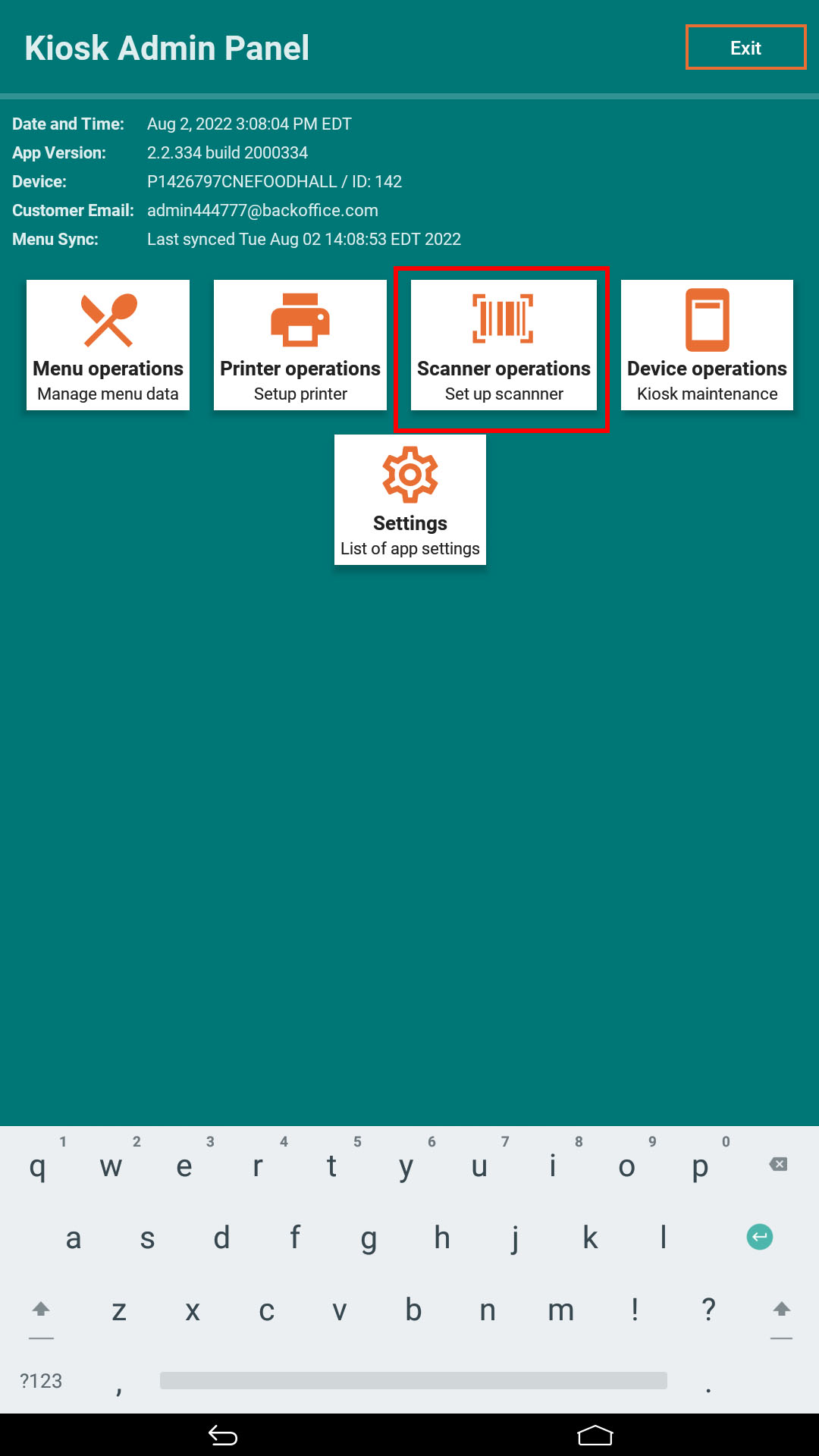
1. Click on “Scanner operations” in the admin panel.
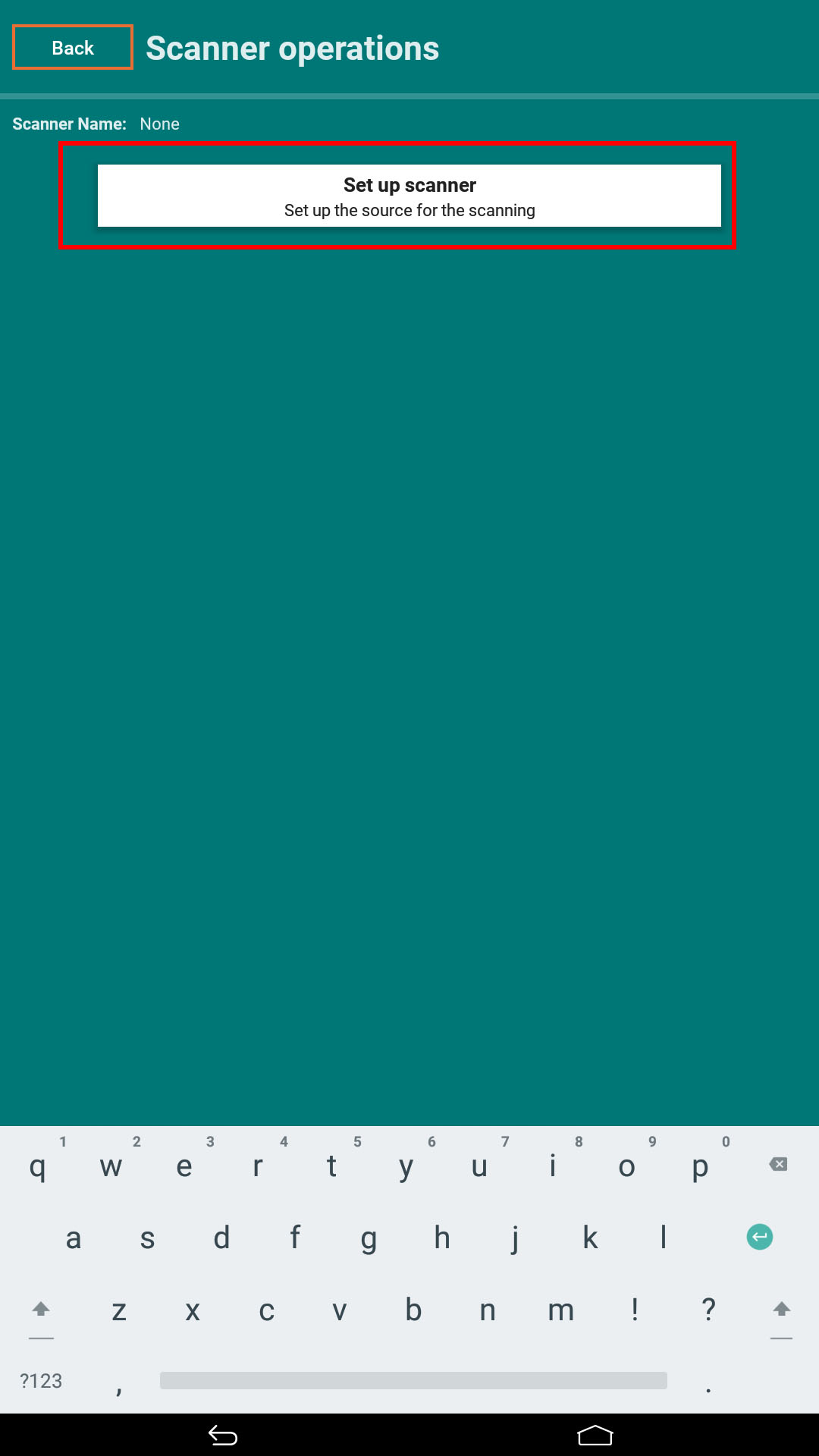
2. Click on “Set up scanner"
3. Select a scanner model from the drop down list and click “Next button”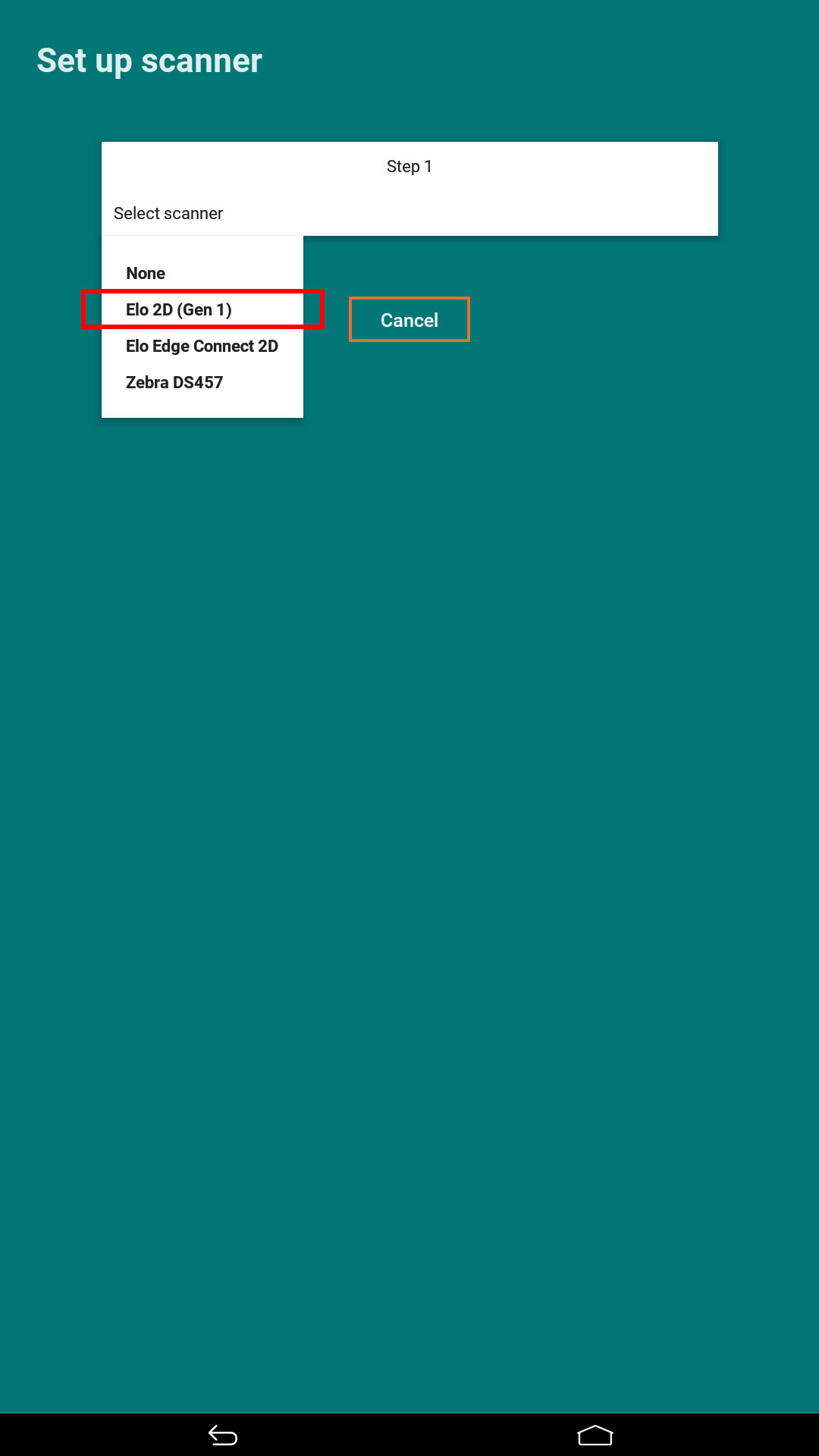
4. On the dialog click the “Scan now” button and scan any barcode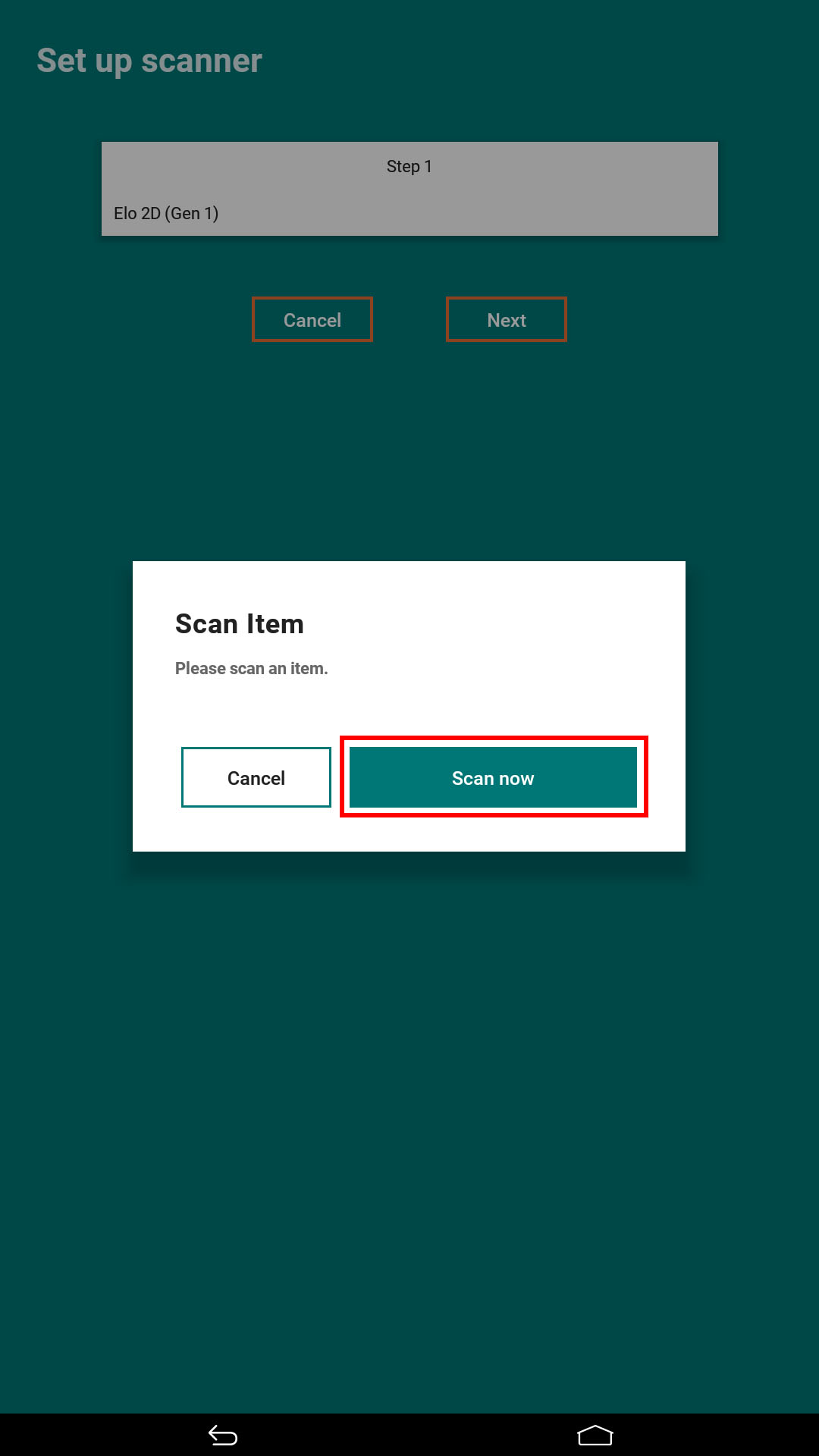
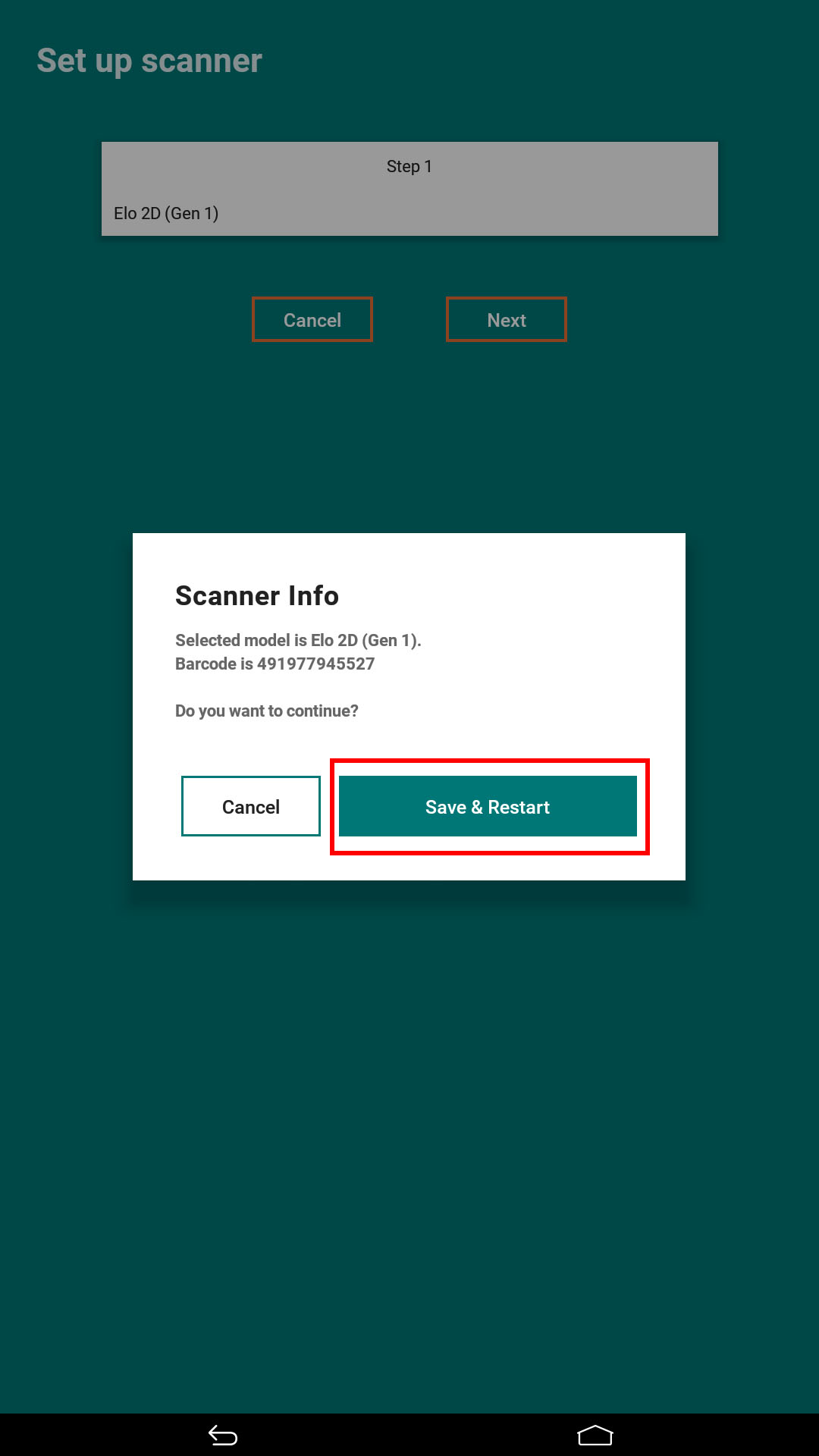
5. After successful scanning, the next dialog will appear. Click the "Save & Restart" button to store selected scanner as default
Comments
0 comments
Please sign in to leave a comment.